

A thermostat schedule matters most on ordinary days, when your home is empty for work, the bedrooms need different evening temperatures, or you want to adjust the system from the sofa. Wi-Fi models add app control, while programmable settings let your heating and cooling follow your actual routine. The right choice starts with HVAC compatibility, then comes down to sensors, learning features, controls, and the finish that suits your wall.
The Essentials At A Glance

ecobee Smart Thermostat Premium

ecobee Smart Thermostat Essential
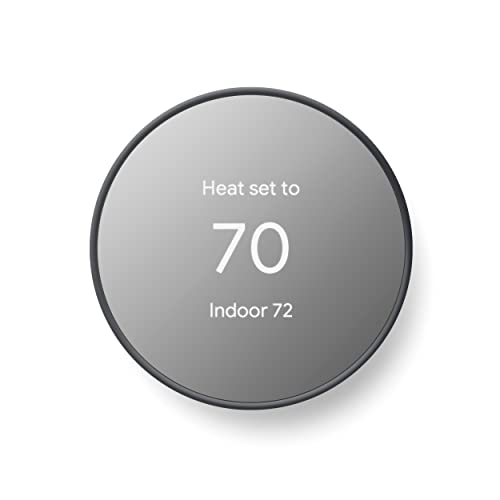
Google Nest Thermostat Charcoal

Google Nest Thermostat Fog
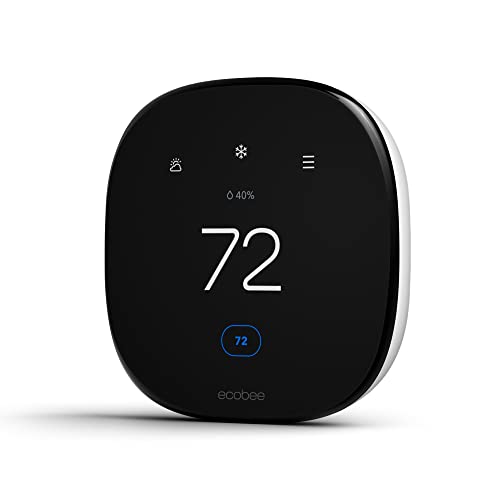
ecobee Smart Thermostat Enhanced

Google Nest Learning Thermostat 4th gen Obsidian

Google Nest Learning Thermostat 4th Gen Polished Gold

Google Nest Learning Thermostat 4th gen Silver

Sensi Smart Thermostat ST55
The Strengths Of Each Pick
The ecobee Smart Thermostat Premium suits homes where the hallway thermostat does not reflect the room you actually use. Its included SmartSensor measures conditions in a chosen room, helping the system respond to that space rather than relying only on the wall unit.
Built-in air-quality monitoring, occupancy awareness, and support for major smart-home platforms create a notably broad feature set. The honest read is that those extras make the most sense for a connected home with uneven temperatures between rooms.
Useful Touches
- Included SmartSensor can prioritize an occupied room.
- Air-quality monitor adds household context at the thermostat.
- Works with Siri, Google Assistant, HomeKit, and SmartThings.
- Doorbell camera viewing and two-way talk work with the wired ecobee camera.
Things To Consider
- Compatibility checking remains important before installation.
- Doorbell viewing requires the matching wired ecobee camera.
A color touchscreen gives the ecobee Smart Thermostat Essential a familiar, direct way to adjust your temperature without reaching for a phone. It follows a schedule, so workdays and sleep hours can receive different settings without repeated manual changes.
Compared with the Premium model, this version focuses on core scheduling and app control rather than a bundled room sensor. For apartments or smaller homes with consistent room temperatures, you may find that simpler approach easier to live with.
What Helps Most
- Color touchscreen keeps local adjustments straightforward.
- App control supports changes away from home.
- Scheduled settings suit predictable weekday routines.
Worth Noting
- System compatibility should be checked before removing your existing thermostat.
- No included room sensor is listed for balancing distant rooms.
Who It Suits Best
You benefit most from this model with a steady routine and a home that does not need room-by-room sensor control.
Where Another Pick Suits Better
ecobee Smart Thermostat Premium suits you better when a frequently used room runs warmer or cooler than the hallway.
Google Nest Thermostat Charcoal works well for app-first households that want simple remote temperature changes. The Google Home app lets you adjust settings away from home, provided your internet connection and Wi-Fi remain active.
Its automatic setback can lower the temperature while you are away, rather than holding the same setting all day. Unlike ecobee Smart Thermostat Essential, its strongest appeal is close integration with Google Home rather than a color touchscreen.
What Stands Out
- Remote control works through the Google Home app.
- Automatic setback can support away-time scheduling.
- Designed for self-installation in many homes.
- Charcoal finish gives darker walls and trim a coordinated look.
Trade Offs
- Remote controls and notifications depend on working Wi-Fi.
Google Nest Thermostat Fog has the same control approach as the Charcoal version, but the Fog finish makes more sense against pale paint, white trim, and light fixtures. You still get Google Home app access and automatic temperature reduction while away.
The meaningful decision is visual, not functional. In a bright entryway or open living area, the softer finish may sit more quietly on the wall.
Everyday Perks
- Fog finish complements light interior palettes.
- Google Home app enables away-from-home adjustments.
Minor Gripes
- Wi-Fi and internet are needed for remote app features.
- Voice commands require a separate compatible device.
- System fit should be confirmed before installation.
Made For
You get the most from this version in a Google Home setup where a pale thermostat finish suits the room better.
Consider Something Else When
Google Nest Thermostat Charcoal is the better match for darker trim, charcoal fixtures, or deeper wall colors.
Busy homes rarely follow the same timetable every day, and ecobee Smart Thermostat Enhanced is built around that reality. Its built-in radar detects occupancy, meaning it can adjust settings around whether people are home rather than only following a fixed calendar.
It also includes a Power Extender Kit, a wiring accessory that can help with installations lacking a common wire. Compared with Smart Thermostat Premium, you trade the bundled room sensor and air-quality monitor for a more focused occupancy-based setup.
Notable Gains
- Radar occupancy detection responds to household presence.
- Schedule suggestions can adapt to routine changes.
- Power Extender Kit is included for eligible wiring setups.
- Works with Apple HomeKit, Google Assistant, SmartThings, and Apple Watch.
- Preheating or precooling can prepare the home before arrival.
Room For Improvement
- Compatibility still needs checking for your HVAC equipment.
- Occupancy automation may feel unnecessary for strictly scheduled homes.
Google Nest Learning Thermostat 4th gen Obsidian adds a learning system that notices temperature preferences and routine changes over time. That approach can suit households where wake-up, commute, and bedtime hours shift frequently across the week.
It includes a Nest Temperature Sensor, allowing a separate room to influence comfort decisions. Relative to the standard Google Nest Thermostat Charcoal, this is the more involved option for homes needing both learning behavior and an included sensor.
The Case For It
- Learning behavior adapts around changing routines.
- Included sensor supports attention to another room.
- Works with many 24V gas, electric, oil, heat-pump, and radiant systems.
Points To Note
- Check your specific 24V HVAC system before installation.
Right Fit For
You benefit most from this model in a home with variable daily schedules and a bedroom or office needing separate attention.
Not Your Match When
ecobee Smart Thermostat Essential suits you better for a straightforward fixed schedule and direct touchscreen changes.
The Polished Gold version delivers the same fourth-generation learning controls and included temperature sensor as the Obsidian model. Its distinction is the finish, which can work especially well near brass hardware, warm-toned lighting, or gold-framed mirrors.
Learning capability removes some schedule maintenance by responding to repeated preferences. Still, you retain app and voice control for the times you want an immediate manual change.
Standout Benefits
- Included Nest Temperature Sensor supports a second room focus.
- Learns preferred temperatures as routines change.
- Google Home app supports remote temperature adjustments.
- Polished Gold adds a warm decorative finish.
Softer Spots
- Finish selection is primarily an interior-design decision.
- Compatibility checking remains necessary for every HVAC replacement.
- Voice control needs a compatible connected device.
Google Nest Learning Thermostat 4th gen Silver combines the same learning approach and included sensor found in the Obsidian version with a cooler metallic appearance. The sensor is particularly useful where a home office, nursery, or upper-floor room needs more attention than the central hall.
For most homes with brushed nickel or stainless accents, Silver may be the easiest finish to coordinate. Functionally, your choice between the three learning models can come down to the color you want on the wall.
Useful Strengths
- Included sensor can support a more relevant room reading.
- Learning controls adapt to routine changes.
Small Caveats
- Installation fit depends on your specific HVAC wiring and equipment.
- Remote features require a working Wi-Fi connection.
- Silver only changes appearance, not the learning feature set.
- Voice control requires compatible connected equipment.
Who Will Love This
You may prefer this version in a nickel-accented home where changing routines make learning controls worthwhile.
A Better Fit Elsewhere
Google Nest Learning Thermostat 4th Gen Polished Gold suits you more where warm brass and gold accents set the room’s direction.
Sensi Smart Thermostat ST55 is aimed at a practical DIY replacement project rather than a wall-mounted smart-home centerpiece. A built-in level helps align the thermostat, while the app provides step-by-step installation guidance.
That combination can reduce uncertainty during a first thermostat swap, especially for a home with conventional HVAC controls. Unlike the Nest learning models, this one places the emphasis on guided setup and straightforward app management.
Everyday Advantages
- Built-in level helps with neat wall placement.
- Step-by-step app instructions support DIY installation.
- Mobile controls let you change settings beyond the wall unit.
- Privacy policy states personal information is not sold to third parties.
Areas To Watch
- Confirm HVAC compatibility before beginning the replacement.
What Matters Before Selecting a Wi-Fi Thermostat
Confirm Your HVAC Wiring
Start with your heating and cooling system, not the screen or finish. Check whether your setup uses a common wire, often called a C-wire, which provides continuous power to many smart thermostats. Some models include an extender accessory or work without one in many homes, but your exact system still determines fit.
Match Automation to Your Routine
Fixed schedules suit predictable workdays, while occupancy detection and learning features make more sense for irregular commute times or changing household patterns. A learning thermostat can reduce daily adjustments, though it may be more than you need for a simple weekday schedule.
Consider Room Temperature Differences
A remote sensor is useful when a bedroom, office, or upstairs space feels different from the hallway. The sensor gives the thermostat another temperature reference, helping you place comfort emphasis where you spend time. Homes with consistent temperatures may not need that extra layer.
Keep Controls Comfortable
App control matters for travel days, late-night adjustments, and checking settings from another room. Yet physical controls still matter during normal daily use, so choose between a touchscreen, app-led interface, or both based on what feels natural to you.
Small Details That Change the Decision
Common Shopping Slip Ups
Skipping the HVAC compatibility check can turn a straightforward replacement into a pause mid-installation. Check system type, wiring, and common-wire requirements before taking down your existing thermostat.
Where the Extra Money Goes
Higher-tier models often add learning behavior, occupancy sensing, included room sensors, and broader smart-home connections. Those additions make the most sense in larger homes, irregular schedules, or rooms with noticeable temperature differences.
Frequently Asked Questions
Do Wi-Fi thermostats need internet access?
Wi-Fi thermostats need an active connection for app-based remote control. Local temperature adjustments can still be made at the wall unit on models with physical controls.
What is a C-wire?
A C-wire is a common wire that supplies steady power to a thermostat. Your HVAC wiring determines whether your chosen thermostat needs one.
Can a programmable thermostat help with a work schedule?
Yes, programmed periods can set different temperatures for home, away, and sleep hours. Occupancy and learning features can add flexibility around irregular schedules.
Why would you need a room sensor?
A room sensor measures temperature away from the thermostat’s wall location. It can help prioritize a bedroom, office, or other frequently used space.
Are learning thermostats necessary for every home?
No, a fixed schedule works well for many predictable routines. Learning controls make more sense when your daily timing changes often.
