


Do router antennas make a difference? Absolutely! They significantly impact your wifi performance. These crucial components transmit and receive your wi-fi signal. This directly affects your signal strength. Antennas play a fundamental role in your entire wifi network’s reliability. Understanding their function is key to improving your wireless connection.
Key Takeaways
Router antennas are important. They send and receive your Wi-Fi signal. This affects how strong and reliable your internet connection is.
Antennas come in different types. Omnidirectional antennas spread Wi-Fi everywhere. Directional antennas send Wi-Fi in one strong beam. Choose the right type for your needs.
Antenna placement matters. Where you put your router and how you point its antennas can greatly change your Wi-Fi signal. Obstacles like walls can block your signal.
Upgrading antennas can help. If your Wi-Fi is weak or has dead zones, new antennas can make the signal stronger. Make sure new antennas work with your router.
Antennas do not fix everything. They cannot make your internet faster than your plan allows. They also cannot always fix very bad interference from other devices.
Do Router Antennas Make a Difference: Signal Transmission Basics

What an Antenna Does
An antenna is a crucial component. It converts electrical signals into electromagnetic waves. This allows your router to send and receive wireless data. When you send data, your router applies a variable voltage to the antenna. This makes free electrons inside the antenna oscillate. These oscillating charges create varying electric and magnetic fields. These fields then propagate through space as electromagnetic waves, also known as radio waves. This is how your wifi antennas transmit your wifi signal.
For effective transmission, the antenna’s size should be at least half a wavelength. This is often called a half-wave vibrator. When receiving, the process reverses. Electromagnetic waves hit the antenna. They induce an electrical current. Your router then converts this current back into an electrical signal. This continuous interaction allows the electromagnetic field to expand and propagate. Understanding how these wifi antennas work helps you optimize your network.
Signal Patterns: Omnidirectional Versus Directional
Antennas send signals in different patterns. Omnidirectional antennas broadcast signals in a 360-degree horizontal pattern. Think of it like a flattened doughnut shape. This provides uniform coverage in all directions around the antenna.
However, it has minimal signal directly above and below. These are great for general coverage in a home. Directional antennas, on the other hand, focus RF energy into a specific direction. They create a concentrated beam. This gives you higher gain and a longer range in that particular direction. But, it reduces the coverage angle. You would use directional antennas when you need to send a wifi signal to a specific target. This also helps minimize interference.
dBi Explained: Understanding Antenna Gain
dBi stands for “decibels relative to an isotropic radiator.” It measures an antenna’s ability to focus radiation. A higher dBi value means the antenna concentrates its signal into a narrower beam. This increases signal strength and extends coverage in that specific direction. The antenna redistributes existing power to achieve better performance. It does not amplify the power itself. For example, a wifi router’s dipole antenna typically has about 2-3 dBi of gain. This shows a less directional signal.
A Yagi antenna, used for long-range wifi networking, can have 12-17 dBi of gain. This means a highly directional and stronger signal over distance. Lower dBi values mean the signal spreads more broadly. This results in less directional focus. So, yes, do router antennas make a difference in how far and strong your signal goes.
Types of WiFi Antennas and Their Impact
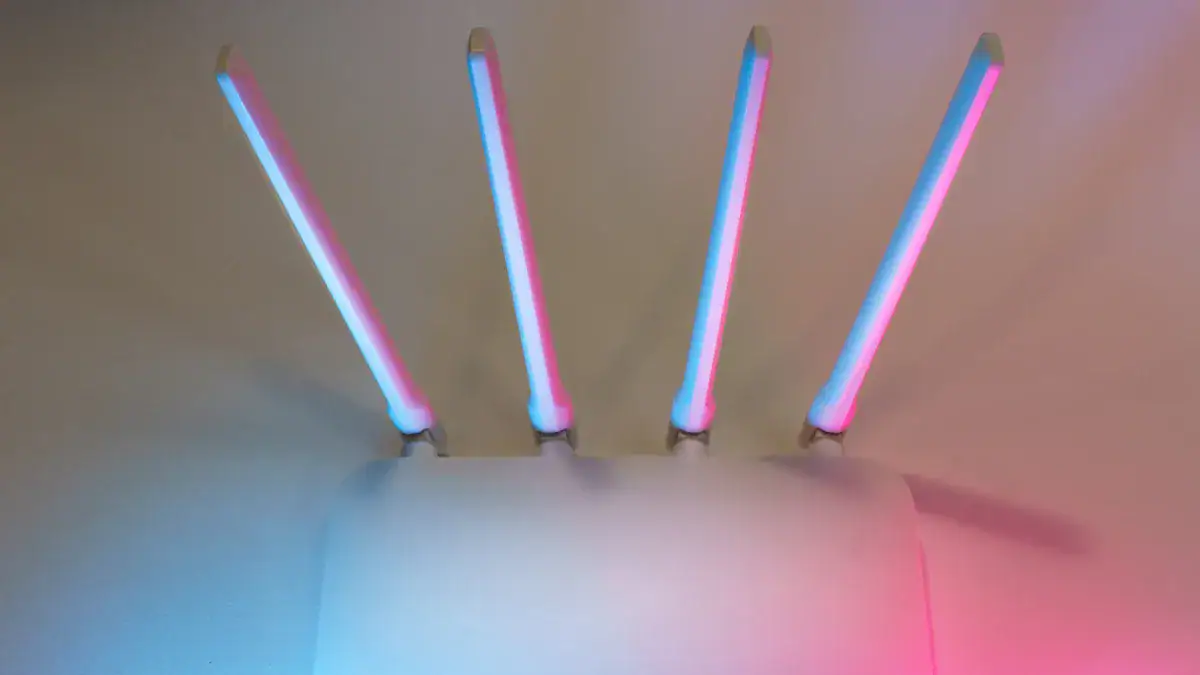
Different types of wifi antennas serve various purposes. Understanding these types helps you choose the best setup for your network. Each antenna design impacts your wifi signal differently.
Internal Versus External Antennas
Routers come with either internal or external antennas. Internal antennas are hidden inside your device. They offer a cleaner look. External antennas stick out from your router. You can often adjust or replace them. There is no inherent difference in transmission power between them. The main difference lies in their adjustability and potential for replacement.
Feature | Internal Antennas | External Antennas |
|---|---|---|
Upgradeability | Not easily upgradeable. | Easily upgradeable and replaceable. |
Flexibility | Less flexible in signal direction. | More flexible in signal direction. |
Aesthetics | More aesthetically pleasing. | Can be less aesthetically pleasing. |
Durability | More durable due to protection. | Less durable due to exposure. |
Internal antennas are optimized for specific devices. They are less prone to damage. External antennas offer flexibility. You can swap them for higher-gain options. This allows for customization.
Omnidirectional Antennas for General Coverage
Omnidirectional antennas broadcast your wifi signal in all directions. They create a 360-degree coverage pattern. Think of it as a doughnut shape. This type of antenna is common in most home routers. It provides broad coverage for your entire house.
You should use omnidirectional antennas when:
Your signal source comes from multiple directions.
You are in an urban area with signals from various points.
You want a simple, plug-and-play solution.
You need to cover all areas of a building.
You want reliable connectivity for many users from different directions.
These antennas work well in cities or suburbs. They support several carriers at once.
Directional Antennas for Focused Range
Directional antennas focus your wifi signal into a narrow beam. This concentrates power in one specific direction. They provide higher gain and a longer range in that chosen direction. You use them when you need to send a signal over a long distance.
Directional antennas are superior in specific situations:
Rural Areas: They improve connectivity when cell towers are far away.
Fixed Installations: Aligning them with a tower ensures optimal performance.
Overcoming Obstacles: They focus energy past buildings or trees.
Long-distance Communication: They are essential for point-to-point links.
These wifi antennas achieve higher gain over long distances. They focus radio frequencies into a narrow beam. This gives you high-quality connectivity when you align them precisely.
Factors Affecting Antenna Performance
Many things influence how well your wifi antennas work. Understanding these factors helps you get the best signal. You can improve your wifi network by paying attention to these details.
Antenna Placement and Orientation
Where you put your router and how you angle its antennas makes a big difference. Router antennas are not just for looks; they actively direct your signal. A vertical antenna usually broadcasts horizontally. A horizontal antenna sends signals more vertically. For multi-story buildings, angle your antennas. For example, point one vertically and one horizontally. This helps spread the signal both across floors and through walls. This strategic router placement helps distribute your wifi signal effectively. Routers with beamforming technology can also send focused signals to your devices. This improves performance for stationary devices when you place the router well.
Obstacles and Interference Degrading Signals
Many common household items can block or weaken your wifi signal. Walls, furniture, and even water can cause problems. Metal is a big blocker. It reflects electromagnetic waves, making it almost impossible for signals to pass through. This includes metal doors, filing cabinets, and ductwork. Concrete walls also severely weaken wifi signals because they are so dense. This leads to low signal strength in basements or multi-level homes. Water bodies, like aquariums, absorb wifi signals.
Here is how different materials can weaken your signal at 2.4 GHz:
Material | Attenuation in decibels at 2.4 GHz |
|---|---|
Foundation wall | -15 dB |
Brick, concrete, concrete blocks | -12 dB |
Elevator or metal obstacle | -10 dB |
Metal rack | -6 dB |
Drywall or sheetrock | -3 dB |
Nontinted glass windows | -3 dB |
Wood door | -3 dB |
Cubicle wall | -2 dB |
At 5 GHz, the signal loss can be even greater:
Antenna Gain and Beam Width
Antenna gain and beam width directly affect your antenna performance. They determine how far and wide your signal travels.
High antenna gain focuses energy into a narrower beam. This creates a more directional coverage pattern.
Lower antenna gain spreads energy over a wider area. This results in an omnidirectional or broader coverage pattern.
You face a trade-off between gain and coverage. Increasing gain reduces the overall coverage area.
Beamwidth is the angle where an antenna radiates energy. It is inversely related to gain. High-gain antennas have a narrow beamwidth. They focus energy tightly in one direction.
When Upgrading Antennas Improves Signal Quality
Upgrading your router’s antennas can significantly improve your wireless experience. You can often solve common Wi-Fi problems by making smart antenna choices. This section explores when and how new antennas can boost your connectivity.
Addressing Weak Wi-Fi Signal Strength
You might experience slow speeds or frequent disconnections. This often points to weak signal strength. Your devices struggle to maintain a stable connection. Upgrading your wifi antennas can directly address this issue. Higher-gain antennas focus your wifi signal more effectively. They push the signal further and with more power in a specific direction. This means your devices receive a stronger, more reliable signal. You will notice faster downloads and smoother streaming. This simple upgrade can transform your entire wifi network.
Extending Wi-Fi Coverage to Dead Zones
Every home has them: those frustrating “dead zones” where your Wi-Fi simply does not reach. These areas often exist due to obstacles or distance from your router. Upgrading your antennas offers a powerful solution. You can replace standard omnidirectional antennas with higher-gain versions. These antennas push the wifi signal further into those hard-to-reach spots. For very specific areas, you might consider directional antennas. They beam the signal directly to a distant room or outdoor area. This creates a strong, focused connection where you need it most. You effectively eliminate dead zones and extend your Wi-Fi coverage.
Replacing Antennas for Better Signal
Replacing your router’s antennas is a practical way to improve signal quality. You need to consider several technical specifications when choosing new antennas.
Antenna Type: Different types serve different needs.
Omnidirectional antennas (3-8 dBi) provide 360-degree coverage. They work well in urban areas. Indoor types include Dome, Desktop, and Whip antennas.
Directional antennas (10-14 dBi Yagi) focus signals for long-range point-to-point links, up to 10-15 km. Indoor types like Panel and Patch antennas offer focused signals and better obstacle penetration.
Dual-band dipole antennas can cut 2.4 GHz Wi-Fi interference by 20%.
5G antennas need MIMO support for speeds above 1 Gbps. 4×4 MIMO boosts throughput by 40% over 2×2 systems.
PCB antennas (2-4 dBi) are good for indoor use. PCB trace antennas are for IoT, limited to 10-50 meters.
Ruggedized helical or panel antennas are suitable for outdoor use, handling temperatures from -30°C to +70°C.
Marine antennas use corrosion-resistant materials. They last 5-10 years in salty air.
LoRa antennas (for 900 MHz) offer over 80% efficiency.
Magnetic Mount antennas offer easy, temporary installation on metal surfaces.
Rubber Duck antennas are compact and flexible. They provide consistent 360-degree coverage for small indoor areas.
Gain (dBi): This measures how much an antenna focuses its signal. Higher gain antennas concentrate power into a narrower beam. This increases signal strength and range in that direction. Medium to low-gain antennas are better for moderate to strong outside signals. They prevent oscillation or overload.
Frequency Range: Ensure your new antennas cover the correct frequencies. Common frequencies include 2.4 GHz, 5 GHz, and 6 GHz.
2.4 GHz offers extended range and strong obstacle penetration but is prone to interference.
5 GHz provides faster data rates and less interference but has a shorter range and penetrates walls less effectively.
6 GHz is the latest, offering high speed and reduced congestion, but it has a short range and limited penetration. Antennas also support 800 MHz to 6 GHz for 4G/5G, and 900 MHz for LoRa.
VSWR (Voltage Standing Wave Ratio): Aim for a VSWR below 1.5:1. A 2:1 VSWR means 11% signal loss as heat.
Impedance: Antennas usually have 50 ohms impedance. A mismatch can cut your signal strength by half.
Environmental Considerations: Outdoor antennas need to withstand harsh conditions. Heavy rain attenuates 5 GHz signals by 0.05 dB/km. It attenuates 70 GHz millimeter-wave by 20 dB/km. High-wind zones require stainless steel brackets.
Connector Types: Keep connector types consistent to avoid signal loss. Common types include N-Type (50 Ohm commercial), F-Type (75 Ohm residential), SMA (vehicle cellular boosters), and FME (mobile cellular).
By carefully selecting and replacing your wifi antennas, you can significantly improve signal quality.
When Antenna Upgrades Aren’t the Solution
Upgrading your router’s antennas can often boost your Wi-Fi. However, sometimes new antennas are not the answer. You need to understand when other factors limit your network performance.
Router Limitations and Compatibility
You might think new antennas will solve all your Wi-Fi problems. But your router itself has limits. An antenna upgrade cannot fix an outdated router. You must ensure your new antennas are compatible with your router.
External antennas that do not support MIMO (Multiple-Input, Multiple-Output) technology will force your router to rely on its internal antennas. This negates the benefits of spatial multiplexing and beamforming. An antenna designed for single-element reception cannot fully utilize your router’s radio capabilities. This limits its potential performance. Ensuring complete MIMO compatibility maximizes spectral efficiency and future-proofs your connection.
Verifying both mechanical and electrical compatibility between a router and an aftermarket antenna is essential. This prevents wasted investment and ensures network reliability.
The support for specific 4/5G frequency bands comes from the 4/5G module inside your router’s hardware. It does not come solely from the antenna. Therefore, replacing an antenna cannot enable a frequency band your router’s internal module does not already support. When you replace antennas, you must ensure the supported frequency range matches the original antenna. This maintains compatibility.
Here is a quick guide for some router models and their antenna requirements:
Router Model | Required Working Bands | Matched Connector Type (Router: Antenna) |
|---|---|---|
Archer NX200 | N1/N3/N7/N38/N40/N41/N77/N78 | SMA Female: SMA Male |
Archer NX600 | N1/N3/N7/N38/N40/N41/N77/N78 | SMA Female: SMA Male |
Deco X50-5G-V1 | N1/N3/N5/N7/N8/N20/N28/N38/N40/N41/N77/N78 | RP-SMA Female: RP-SMA Male |
Deco X50-5G-V2 | N1/N3/N5/N7/N8/N20/N28/N38/N40/N41/N75/N76/N77/N78 | SMA Female: SMA Male |
Deco X80-5G | N41/N77/N78 | SMA Female: SMA Male |
Deco BE65-5G | N1/N3/N5/N7/N8/N20/N28/N38/N40/N41/N77/N78 | SMA-Female: SMA Male |
M8550 | N2/N5/N12/N14/N25/N29/N30/N41/N48/N66/N71/N77 | 2× TS-9 Antenna Ports |
Remember these key points when you replace external antennas:
You must change both antennas simultaneously. The replacement antennas should have the same specifications because they work together.
The external antenna interface should match the reserved external antenna ports on your router.
The external antennas should cover the same frequency range as the original antennas.
Internet Speed Caps and Antennas
Antennas improve your Wi-Fi signal quality and range. They do not increase your internet speed beyond what your internet service provider (ISP) gives you. If you pay for a 100 Mbps internet plan, even the best antennas cannot make your connection faster than 100 Mbps. Your internet speed is capped by your ISP. Antennas help you get the maximum speed available from your plan throughout your home. They ensure a strong, stable connection. They do not magically create more bandwidth.
Overwhelming Interference Requiring Other Solutions
Sometimes, your environment has too much interference. Even the best antennas cannot fully overcome it. Many things can disrupt your Wi-Fi signal.
Common sources of overwhelming Wi-Fi interference include:
Numerous 2.4 GHz Wi-Fi access points (APs) in close proximity, common in urban settings.
Wireless phones and baby monitors.
Microwave ovens.
Bluetooth devices (IEEE 802.15.1).
ZigBee devices (IEEE 802.15.4).
Custom FCC Part 15 devices (Internet of Things).
Licensed users, such as amateur radio operating in the 2.39 to 2.45 GHz band.
Other sources of interference include:
Neighboring Wi-Fi networks, especially in densely populated areas like apartment complexes. This happens due to overlapping signals and congestion on the 2.4 GHz band.
Household electronics, including microwave ovens and Bluetooth devices.
Non-Wi-Fi sources such as cordless phones, baby monitors, wireless audio/video devices, wireless cameras, and infrared sensors.
Physical obstructions like metal or concrete walls.
Co-channel interference (multiple networks on the same channel) and adjacent channel interference (networks on overlapping channels).
When antenna upgrades are not enough, you have other solutions:
Identify Interference Sources with Spectrum Analysis: Use RF spectrum analyzers. Tools like Chanalyzer with Wi-Spy DBx detect interference from non-Wi-Fi devices. These include baby monitors, security cameras, microwaves, and radar. Standard Wi-Fi surveying tools might miss these. These tools show you visual representations of signals and noise.
Move Clients to the 5 GHz Band: The 2.4 GHz band is often more congested. Shifting clients to the 5 GHz band can reduce interference. This improves network performance. Access points (APs) with band-steering functionality can encourage or force dual-band devices to connect to the 5 GHz band.
Use Beamforming Technology: Dynamic beamforming focuses Wi-Fi signals precisely where you need them. It automatically steers them around interference. This antenna-based technique adjusts antenna patterns for each client. It selects optimal paths to maximize data rates and minimize packet loss. This increases the signal-to-noise ratio (SNR).
Speed Up Wi-Fi Connections: Increasing Wi-Fi transmission speeds can indirectly lessen interference. Faster communication reduces the time interference has to impact data transmission.
Do router antennas make a difference? Absolutely, they undeniably improve your Wi-Fi experience and overall network performance. You now know that do router antennas make a difference. Understanding your wifi antennas, their types, and proper optimization is crucial. While not a magic solution for every wifi issue, strategic adjustments or upgrades are powerful tools for enhancing signal strength and improving your wi-fi signal quality. This helps you get a better wi-fi signal. Apply this knowledge to optimize your home wifi network. Do router antennas make a difference for your wifi? Yes, they do.
FAQ
What is the main job of a router antenna?
Your router antenna converts electrical signals into radio waves. It sends these waves out to your devices. It also catches radio waves from your devices. Then, it turns them back into electrical signals for your router. This lets your devices talk to your router wirelessly.
What does dBi mean for an antenna?
dBi measures how well an antenna focuses its signal. A higher dBi means the antenna sends its signal in a more focused, narrower beam. This makes the signal stronger and reach further in that specific direction. It helps you get better range.
What is the difference between internal and external antennas?
Internal antennas are hidden inside your router. You cannot easily adjust them. External antennas stick out from your router. You can often move them or replace them with different types. This gives you more control over your Wi-Fi signal.
What should you do if your Wi-Fi signal is weak?
First, check your router’s placement and antenna orientation. Try moving your router to a central spot. Angle your external antennas for better coverage. If this does not help, consider upgrading to higher-gain antennas. They can boost your signal strength.