

You may believe smart home setups are messy and vendor‑locked, but modern controllers now focus on local‑first, cross‑protocol simplicity so you won’t be stuck rebuilding your network. You’ll get fast, encrypted on‑device automations, Matter‑based pairing, and hubs that actually expose sensor and energy data. I’ll outline top picks from compact plugs to Thread controllers and what matters for reliability — and show which choices avoid common mesh and privacy pitfalls.
| Kasa Matter Smart Plug KP125M (4-Pack) |

| Best for Matter Integration | Matter Support: Matter-certified (KP125M) | Voice Control Compatibility: Siri, Amazon Alexa, Google Assistant, SmartThings | 2.4 GHz Wi‑Fi Requirement / Support: 2.4 GHz Wi‑Fi only (setup) | VIEW LATEST PRICE | Our Analysis |
| Aqara Smart Home Hub M3 — Matter & Thread Controller |

| Best Local Hub | Matter Support: Acts as Matter bridge/controller (Aqara M3) | Voice Control Compatibility: Alexa, Apple HomeKit (via Matter), SmartThings, Home Assistant, IFTTT | 2.4 GHz Wi‑Fi Requirement / Support: Dual‑band Wi‑Fi (2.4/5 GHz) supported | VIEW LATEST PRICE | Our Analysis |
| Kasa HS103P3 Smart Wi‑Fi Plug (3-Pack) |
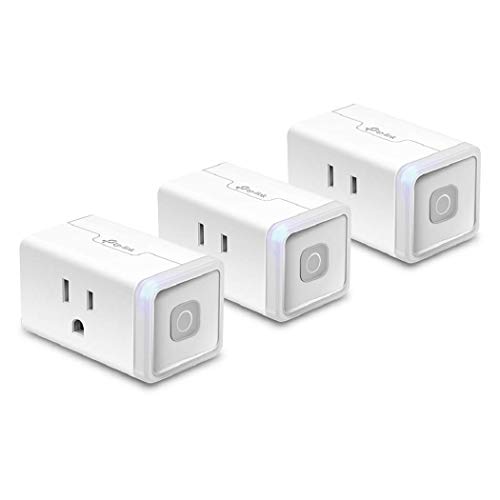
| Budget-Friendly Pick | Matter Support: (No) — HS103P3 is NOT Matter-certified | Voice Control Compatibility: Amazon Alexa, Google Assistant, IFTTT | 2.4 GHz Wi‑Fi Requirement / Support: 2.4 GHz Wi‑Fi required | VIEW LATEST PRICE | Our Analysis |
| Kasa KP200 In-Wall Smart Wi‑Fi Outlet (1-Pack) |

| Best Permanent Upgrade | Matter Support: (No) — KP200 is a Kasa Wi‑Fi outlet (not listed as Matter) | Voice Control Compatibility: Amazon Alexa, Google Assistant | 2.4 GHz Wi‑Fi Requirement / Support: Wi‑Fi (IEEE 802.11 b/g/n — 2.4 GHz implied) | VIEW LATEST PRICE | Our Analysis |
| Linkind Matter Smart Plug 4-Pack (Wi‑Fi 15A) |

| Best Value Matter Plug | Matter Support: Matter-certified (Linkind 4‑pack) | Voice Control Compatibility: Siri (HomeKit), Amazon Alexa, Google Assistant, SmartThings | 2.4 GHz Wi‑Fi Requirement / Support: 2.4 GHz Wi‑Fi only | VIEW LATEST PRICE | Our Analysis |
More Details on Our Top Picks
Kasa Matter Smart Plug KP125M (4-Pack)
Should you want simple, reliable smart outlets that play nicely with every major ecosystem, the Kasa Matter Smart Plug KP125M (4-pack) is a great choice — its Matter certification lets you control devices locally across Apple Home, Alexa, Google Home, and SmartThings without relying on a cloud bridge. You’ll get compact, white plugs that won’t block adjacent sockets, UL-rated flame-retardant build, and a 2-year limited warranty. Setup’s quick on 2.4 GHz Wi‑Fi via the free Kasa App, and you can use Siri, Alexa, Google Assistant, or SmartThings. Energy monitoring tracks consumption, and each plug handles up to 15A/1800W.
- Matter Support:Matter-certified (KP125M)
- Voice Control Compatibility:Siri, Amazon Alexa, Google Assistant, SmartThings
- 2.4 GHz Wi‑Fi Requirement / Support:2.4 GHz Wi‑Fi only (setup)
- Remote App Control:Kasa App remote control from anywhere
- Power / Electrical Rating:15 A / 1800 W max
- Compact / Space‑Saving Design:Compact form factor (avoids blocking adjacent outlets)
- Additional Feature:Energy usage monitoring
- Additional Feature:UL flame‑retardant build
- Additional Feature:2‑year limited warranty
Aqara Smart Home Hub M3 — Matter & Thread Controller
Should you want a hub that prioritizes local control and brings Aqara Zigbee and Thread devices into Matter, the Aqara Smart Home Hub M3 is a strong choice — it migrates your existing Aqara Zigbee network, runs edge automations locally, and bridges devices to Matter ecosystems like HomeKit and Home Assistant while keeping most functions off the cloud. You can manage up to 127 Aqara Zigbee and 127 Thread devices (repeaters needed), use dual-band Wi‑Fi or PoE, and rely on Magic Pair for setup. The 360° IR blaster exposes one AC to Matter and supports AC thermostat pairing. Local storage is encrypted; some notifications still need internet.
- Matter Support:Acts as Matter bridge/controller (Aqara M3)
- Voice Control Compatibility:Alexa, Apple HomeKit (via Matter), SmartThings, Home Assistant, IFTTT
- 2.4 GHz Wi‑Fi Requirement / Support:Dual‑band Wi‑Fi (2.4/5 GHz) supported
- Remote App Control:Aqara Home app (Magic Pair) and Matter integration for apps like Home Assistant
- Power / Electrical Rating:(Hub — N/A for plug load) — hub device (no plug power rating)
- Compact / Space‑Saving Design:Small hub with mount options for wall/ceiling; recommended placement guidance
- Additional Feature:360° IR blaster
- Additional Feature:PoE + USB‑C power
- Additional Feature:8 GB encrypted local storage
Kasa HS103P3 Smart Wi‑Fi Plug (3-Pack)
Provided you want a no-fuss way to make ordinary devices smart, the Kasa HS103P3 is ideal for renters or anyone who needs plug-and-play automation without a hub. You’ll get three white 15‑amp plugs that join your 2.4 GHz Wi‑Fi and let you control lamps, fans, humidifiers, and holiday lights from the Kasa app or via Alexa, Google Assistant, Echo, or IFTTT. Set timers, countdowns, and automation routines, then manage devices remotely. UL certified and developed in Silicon Valley, Kasa’s plug is trusted among over five million users and earned PCMag Reader’s Choice during 2020.
- Matter Support:(No) — HS103P3 is NOT Matter-certified
- Voice Control Compatibility:Amazon Alexa, Google Assistant, IFTTT
- 2.4 GHz Wi‑Fi Requirement / Support:2.4 GHz Wi‑Fi required
- Remote App Control:Kasa App remote control from anywhere
- Power / Electrical Rating:15 A capacity
- Compact / Space‑Saving Design:Compact plug form factor (pack of 3)
- Additional Feature:Timer and countdown schedules
- Additional Feature:PCMag Reader’s Choice
- Additional Feature:Trusted by millions
Kasa KP200 In-Wall Smart Wi‑Fi Outlet (1-Pack)
Should you want a space-saving, hardwired solution that controls two devices independently without a hub, the Kasa KP200 is a strong pick — you can name and switch each outlet separately via the Kasa app or voice assistants, or run them together for paired loads. You’ll get remote on/off, schedules, scenes, grouping, and Away Mode to simulate occupancy. It works with Alexa, Google Assistant, and IFTTT over 2.4 GHz Wi‑Fi (802.11 b/g/n), handles up to 15 A / 1875 W total, and is ETL certified. Install it where a permanent, neat in-wall option beats bulky plugs.
- Matter Support:(No) — KP200 is a Kasa Wi‑Fi outlet (not listed as Matter)
- Voice Control Compatibility:Amazon Alexa, Google Assistant
- 2.4 GHz Wi‑Fi Requirement / Support:Wi‑Fi (IEEE 802.11 b/g/n — 2.4 GHz implied)
- Remote App Control:Kasa App remote control, scheduling and scenes
- Power / Electrical Rating:15 A total, 1875 W max total
- Compact / Space‑Saving Design:In‑wall outlet (space‑saving permanent installation)
- Additional Feature:Dual independently controlled outlets
- Additional Feature:In‑wall permanent installation
- Additional Feature:Away Mode randomization
Linkind Matter Smart Plug 4-Pack (Wi‑Fi 15A)
Should you want compact, Matter‑certified smart plugs that prioritize local control and broad ecosystem compatibility, the Linkind Matter Smart Plug 4‑Pack is a strong pick — it lets you manage high‑draw appliances up to 15 A over 2.4 GHz Wi‑Fi and works natively with Apple Home, Alexa, Google Home, SmartThings, or via the AiDot app without a hub. You’ll get Matter’s local LAN control so devices keep responding in case the internet drops, plus remote app access and voice control. Timers and schedules cut standby waste; FCC certification, fire‑resistant materials, and overload protection handle safety, while the compact form saves outlet space.
- Matter Support:Matter-certified (Linkind 4‑pack)
- Voice Control Compatibility:Siri (HomeKit), Amazon Alexa, Google Assistant, SmartThings
- 2.4 GHz Wi‑Fi Requirement / Support:2.4 GHz Wi‑Fi only
- Remote App Control:AiDot app (or Matter controller) remote control from anywhere
- Power / Electrical Rating:15 A / 1800 W max
- Compact / Space‑Saving Design:Compact form factor to minimize space usage
- Additional Feature:IPv6 network support
- Additional Feature:Short‑circuit protection
- Additional Feature:AiDot app setup option
Factors to Consider When Choosing a Smart Home Controller
Upon selecting a smart home controller, you should check device compatibility and whether it supports local-only or cloud-dependent operation. Consider security and privacy guarantees, plus the automation and scripting flexibility you’ll need. Also make sure your network and connectivity can handle the controller and all connected devices.
Compatibility With Devices
Because your smart home is only as capable as the devices it can actually talk to, prioritize controllers that support the wireless protocols your gear uses (Matter, Zigbee, Thread, Wi‑Fi), expose devices locally to major ecosystems or voice assistants, and reveal full feature sets like energy monitoring or sensor data—not just basic on/off. You should verify device limits and network topology constraints—mesh sizes and hub caps—so your system won’t hit capacity as it grows. Confirm support for both third‑party and manufacturer‑specific devices and scenes, since some hubs lock you into one brand. Check that required features—IR/AC control, energy meters, detailed sensors—are accessible through the controller’s interface or integrations, not blocked or reduced to simple commands.
Local Versus Cloud
Should you want fast, private, and reliable automations, favor a controller that processes commands locally; local execution keeps automations running during internet outages, cuts latency, and limits how much data leaves your home. Local controllers handle device state and rules on your LAN, often using encrypted local storage or edge processing, so lights, locks, and sensors respond nearly instantly. Cloud-based systems give remote access, broader integrations, and vendor-managed updates but rely on internet connectivity and external servers. Hybrid controllers offer a middle path: run critical automations locally while using the cloud for remote access, voice assistant relays, and firmware updates. Upon choosing, weigh required features, your tolerance for downtime, and whether you prefer keeping sensitive data on-premises.
Security And Privacy
Should you care about keeping your home secure and your data private, pick a controller that minimizes cloud exposure and enforces strong authentication and encryption. You’ll want local control and edge automation so devices and automations run without internet access, reducing data sent to servers. Verify strong auth: unique device passwords, OAuth or certificate-based pairing, and multi-factor support for companion accounts. Guarantee encryption for stored configs and telemetry—AES-256 or TLS 1.2/1.3—and clear key-management and retention policies. Confirm firmware updates are signed and can be automatic, and that the vendor publishes a timely patching policy and security advisories. Finally, choose controllers that limit data collection, offer granular privacy controls, and publish a transparent privacy policy.
Automation And Scripting
When you choose a smart home controller, look beyond basic timers and scenes to how it actually runs automations: does logic execute locally on the edge or does it rely on the cloud, what scripting languages and visual builders it supports, and how precise and reliable those automations are under load or during outages. You should favor controllers that run automations locally for privacy and resilience during internet outages. Check supported interfaces—graphical builders, YAML, JavaScript, Node‑RED—to match your skills and complexity needs. Confirm available triggers (time, device state, sensors, geofence, MQTT, webhooks), max concurrent automations, execution latency, and scheduling granularity for time‑sensitive tasks. Make certain automation logic, encrypted history, and versioned export/import exist for recovery and testing.
Network And Connectivity
While picking a controller, focus on the radios and ports it actually offers—Wi‑Fi (2.4/5 GHz), Zigbee, Thread, Bluetooth, Ethernet/PoE and USB‑C—because that determines which devices you can connect directly, how you’ll place the hub for best coverage, and whether you’ll need additional bridges. Confirm the controller supports the wireless protocols your devices use and check its maximum device capacity so you don’t hit node limits as your setup grows. Favor controllers that run automation locally on the LAN to keep scenes responsive if the cloud fails. Verify WPA3 support, encrypted local storage, and reliable firmware update mechanisms to secure your network. Plan physical placement and use Ethernet/PoE or USB‑C options to guarantee stable uptime and peak radio range.
Power And Energy Monitoring
Beyond radios and ports, power and energy monitoring determines how actionable your smart-home data will be. You should pick a controller that offers historical usage graphs and per‑device breakdowns so you can spot trends and high‑usage appliances. Check reporting intervals and resolution — real‑time or sub‑minute data gives far better insight for automation and cost analysis than hourly summaries. Make sure it reports instantaneous power (watts) and cumulative energy (kWh), and that you can export or integrate data with billing or analytics tools. Verify accuracy specs and expected error margins, especially for small standby loads. Prefer controllers that perform local logging and edge calculations so historical records and automations keep working even if cloud services drop out.
