

Most people don’t realize many small firewalls can decrypt and inspect SSL/TLS traffic at line rates today. You’ll want gear that pairs hardware crypto with deep inspection, VPN acceleration, and ID-aware logging. I’ll compare compact appliances and prosumer routers that deliver that mix plus sandboxing and SD‑WAN headroom. Keep this list in mind should you need enterprise-grade protections without enterprise bulk.
| FortiGate-40F Firewall Appliance (FG-40F) |
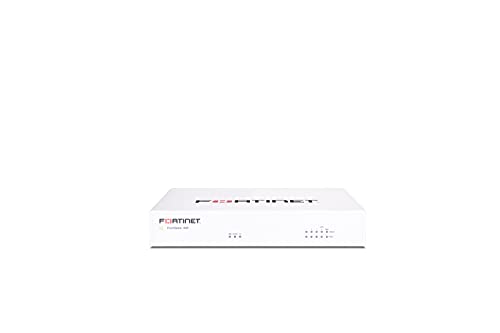
| Best for SMB Security | Primary Function: Firewall appliance (network security) | Wired Ethernet Ports: 5 × Gigabit RJ45 ports (1 WAN, 4 internal) | VPN Support / VPN Capabilities: VPN capability (Fortinet platform; integrates with Security Fabric) | VIEW LATEST PRICE | Our Analysis |
| Netgate 2100 pfSense+ Security Gateway Firewall Router |
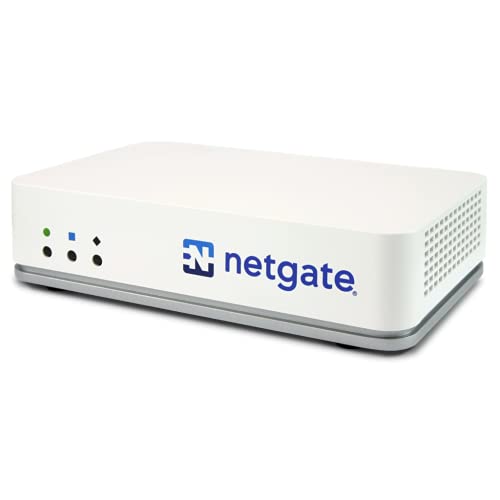
| Open-Source Powerhouse | Primary Function: Firewall / VPN / router (security gateway) | Wired Ethernet Ports: 4 × 1 GbE + 1 × 1 GbE combo RJ45/SFP | VPN Support / VPN Capabilities: IPsec, OpenVPN, WireGuard (pfSense+) | VIEW LATEST PRICE | Our Analysis |
| TP-Link Archer AX21 AX1800 WiFi 6 Router |

| Home Network Staple | Primary Function: Wi‑Fi router (wireless networking with security features) | Wired Ethernet Ports: (Requires separate modem) standard Gigabit WAN/LAN ports (typical AX21: multiple GbE ports) | VPN Support / VPN Capabilities: OpenVPN Server and PPTP VPN Server | VIEW LATEST PRICE | Our Analysis |
| TP-Link BE6500 WiFi 7 Dual-Band Router |

| Cutting-Edge Performance | Primary Function: Wi‑Fi 7 router (wireless networking with advanced features) | Wired Ethernet Ports: 1 × 2.5 GbE WAN/LAN, 1 × 2.5 GbE LAN, 3 × 1 GbE LAN | VPN Support / VPN Capabilities: VPN client/server support (simultaneous VPN + regular internet) | VIEW LATEST PRICE | Our Analysis |
| SonicWall TZ270 Gen7 SMB Firewall Appliance |

| Enterprise-Grade Edge | Primary Function: Firewall appliance (network security) | Wired Ethernet Ports: 8 × Gigabit Ethernet interfaces | VPN Support / VPN Capabilities: Site-to-site VPN support | VIEW LATEST PRICE | Our Analysis |
More Details on Our Top Picks
FortiGate-40F Firewall Appliance (FG-40F)
Should you need a compact, fanless appliance that delivers enterprise-grade inspection for small offices or branch sites, the FortiGate-40F is a smart pick — it packs a purpose-built security processor that accelerates SSL inspection and delivers up to 1 Gbps IPS and 600 Mbps threat protection in a quiet desktop form factor. You get five Gigabit RJ45 ports (1 WAN, 4 internal), a lightweight 3.47-pound chassis, and FortiGuard Labs threat intelligence for known and unknown attacks. Management is straightforward with a visibility-focused console and Zero Touch integration into the Security Fabric, making deployment fast and scalable.
- Primary Function:Firewall appliance (network security)
- Wired Ethernet Ports:5 × Gigabit RJ45 ports (1 WAN, 4 internal)
- VPN Support / VPN Capabilities:VPN capability (Fortinet platform; integrates with Security Fabric)
- Target Market / Use Case:Small-to-mid-sized businesses and enterprise branch offices
- Passive/Quiet Cooling or Fanless Design:Fanless desktop form factor (quiet)
- Centralized Management / Setup Assistance:Fortinet management console + Zero Touch Integration with Security Fabric
- Additional Feature:Purpose-built security ASIC
- Additional Feature:IPS up to 1 Gbps
- Additional Feature:Zero Touch Integration
Netgate 2100 pfSense+ Security Gateway Firewall Router
Should you need a silent, energy-efficient appliance that still delivers solid throughput for a small business or home office, the Netgate 2100 is a strong pick—its passive-cooled ARM Cortex-A53 CPU and 4+1 GbE ports give you up to 2.2 Gbps routing and nearly 1 Gbps of firewall throughput while running pfSense+ with IPsec, OpenVPN, and WireGuard support. You’ll get 10.6 GB eMMC storage, lifetime TAC Lite support, free pfSense+ updates and documentation, and one-year hardware warranty. It’s compact, low-power, and ready out of the box, with 24/7 setup help and required adult-signature shipping.
- Primary Function:Firewall / VPN / router (security gateway)
- Wired Ethernet Ports:4 × 1 GbE + 1 × 1 GbE combo RJ45/SFP
- VPN Support / VPN Capabilities:IPsec, OpenVPN, WireGuard (pfSense+)
- Target Market / Use Case:Small business networks / secure edge appliance
- Passive/Quiet Cooling or Fanless Design:Passive cooling (silent)
- Centralized Management / Setup Assistance:pfSense+ with free updates, TAC support and free setup assistance (24/7)
- Additional Feature:pfSense+ preloaded software
- Additional Feature:Lifetime TAC Lite
- Additional Feature:10.6 GB eMMC storage
TP-Link Archer AX21 AX1800 WiFi 6 Router
In case you want an affordable Wi‑Fi 6 upgrade that boosts home streaming and gaming without breaking the bank, the TP‑Link Archer AX21 is a solid choice. You get AX1800 dual‑band throughput (up to 1.8 Gbps: 1200 Mbps on 5 GHz, 574 Mbps on 2.4 GHz) and improved capacity vs. older routers. OFDMA and beamforming help more devices stay responsive, while four high‑gain antennas and an FEM chipset extend coverage. It needs a separate modem, supports OpenVPN and PPTP server roles, and lacks 6 GHz. TP‑Link offers free support; keep firmware current and use the Tether app.
- Primary Function:Wi‑Fi router (wireless networking with security features)
- Wired Ethernet Ports:(Requires separate modem) standard Gigabit WAN/LAN ports (typical AX21: multiple GbE ports)
- VPN Support / VPN Capabilities:OpenVPN Server and PPTP VPN Server
- Target Market / Use Case:Home and small office / multi-device households
- Passive/Quiet Cooling or Fanless Design:Standard consumer router (typically low‑noise; not fan-cooled)
- Centralized Management / Setup Assistance:TP‑Link Tether app and web interface for setup/management
- Additional Feature:OFDMA multi-user support
- Additional Feature:Beamforming with 4 antennas
- Additional Feature:Tether app management
TP-Link BE6500 WiFi 7 Dual-Band Router
Should you want cutting‑edge Wi‑Fi 7 speed and low latency for the latest phones and laptops, the TP‑Link BE6500 is built for you. It uses MLO, Multi‑RUs and 4K‑QAM across six streams to push up to 6.5 Gbps (5 GHz 5764 Mbps; 2.4 GHz 688 Mbps), ideal for 4K/8K streaming, AR/VR gaming and fast transfers. You get 2×2.5 Gbps ports, three 1 Gbps LANs, USB‑3 and EasyMesh support for whole‑home coverage to ~2,400 sq. ft. Supporting 90 devices with beamforming antennas, HomeShield security, VPN client/server and Tether/web management keeps setup and protection simple.
- Primary Function:Wi‑Fi 7 router (wireless networking with advanced features)
- Wired Ethernet Ports:1 × 2.5 GbE WAN/LAN, 1 × 2.5 GbE LAN, 3 × 1 GbE LAN
- VPN Support / VPN Capabilities:VPN client/server support (simultaneous VPN + regular internet)
- Target Market / Use Case:Home power users and Wi‑Fi 7 device owners (whole‑home)
- Passive/Quiet Cooling or Fanless Design:Consumer router design (no active fan; wireless AP)
- Centralized Management / Setup Assistance:Tether app or web interface; EasyMesh and management features
- Additional Feature:Multi-Link Operation (MLO)
- Additional Feature:2.5 Gbps WAN/LAN ports
- Additional Feature:Supports up to 90 devices
SonicWall TZ270 Gen7 SMB Firewall Appliance
Choose the SonicWall TZ270 Gen7 should you need enterprise-grade threat protection in a compact, budget-friendly appliance that’s built for small businesses and branch offices. You’ll get RFDPI, RTDMI, Capture ATP sandboxing and TLS 1.3 decryption to stop ransomware, malware and encrypted threats without subscriptions bundled. The appliance delivers 2 Gbps firewall and 750 Mbps threat prevention throughput, supports 750,000 concurrent connections and 64 VLANs, and includes eight Gigabit ports plus USB. Built-in SD-WAN and site-to-site VPN optimize hybrid work performance. Zero-Touch deployment simplifies remote rollout and reduces IT overhead while scaling as cloud use grows.
- Primary Function:Firewall appliance (network security)
- Wired Ethernet Ports:8 × Gigabit Ethernet interfaces
- VPN Support / VPN Capabilities:Site-to-site VPN support
- Target Market / Use Case:Small businesses, branch offices, retail environments
- Passive/Quiet Cooling or Fanless Design:Appliance-class design (optimized for branch use; no emphasis on active fans in spec)
- Centralized Management / Setup Assistance:Zero‑Touch deployment and centralized management for remote rollout
- Additional Feature:Reassembly-Free DPI (RFDPI)
- Additional Feature:Up to 750,000 connections
- Additional Feature:Built-in SD‑WAN
Factors to Consider When Choosing a Firewall Router
Upon selecting a firewall router, you’ll want to weigh deep security features, real-world throughput, and reliable VPN/remote access support. Check port count and types to match your equipment, and confirm the device can scale as your network grows. Prioritize models that balance current performance with clear upgrade paths for future needs.
Security Features Depth
Because threats now hide in encrypted traffic and memory-resident attacks, you need a firewall router that does more than just packet filtering; it should offer stateful and deep packet inspection, TLS/SSL decryption, IPS and sandboxing or ATP, and real‑time memory inspection to catch protocol anomalies, malware payloads, and zero‑day or fileless attacks. Beyond those basics, verify granular application control and user‑aware policies so you can apply least‑privilege rules per user, group, or app and limit lateral movement. Prioritize TLS inspection that balances visibility with acceptable latency. Make certain the device integrates with threat intelligence feeds and supports automated signature and rule updates for rapid response. Finally, confirm sandboxing/ATP can detonate suspicious files and feed results back into blocking and forensic logs.
Throughput And Performance
In case your network is going to stay fast under real‑world loads, you need to match the firewall’s measured throughput and session capacity to your peak WAN/LAN traffic plus headroom—aim for at least 20–30% overhead—while also checking separate DPI/IPS, VPN, and SSL inspection ratings, since enabling those features can cut performance through 30–80%. Beyond raw Mbps/Gbps, verify threat‑inspection and IPS throughput separately because DPI/antivirus/SSL decrypt add heavy CPU work. Check concurrent connections, connections‑per‑second and total session limits should you run many clients, IoT devices, or chatty services—session exhaustion shows before bandwidth caps. Prefer devices with crypto offload, NPUs and multiple cores/clock speed metrics to sustain SSL/TLS inspection and multi‑feature loads. Don’t rely on peak burst numbers; look for sustained, vendor‑tested performance figures.
VPN And Remote Access
Don’t skimp on VPN capability: make sure the router supports modern protocols like IPsec, OpenVPN, and WireGuard and that their encrypted throughput is hardware‑accelerated so remote users don’t bog down the appliance. You’ll want to confirm maximum concurrent VPN tunnels and remote-client capacity to match your workforce and site‑to‑site needs. Check realistic VPN throughput figures and whether the device offers dedicated crypto offload for large file transfers. Prefer multi‑protocol support with split tunneling and per‑user/group access controls so you balance security and resource use. Make certain easy certificate management, MFA integration, and secure key storage to reduce credential risk and simplify administration. Those features keep remote access secure, scalable, and performant.
Port Count And Types
Count the ports you actually need—LAN, WAN, uplink/DMZ—and match their speeds and types to your current and near‑term plans so the firewall/router won’t become a bottleneck or require adapters. Tally LAN ports for wired desktops, at least one dedicated WAN, and extra uplink or DMZ ports for segregation. Require high throughput? Choose gigabit or multi‑gig (2.5/5/10 Gbps) ports and support link aggregation (LACP) for combined bandwidth. Prefer fiber or long runs—opt for SFP/SFP+ or combo RJ45/SFP slots to avoid media converters. Should you’ll power APs, phones, or cameras, include PoE ports and check wattage budgets. Finally, make certain multiple WAN interfaces for failover/load balancing and spare ports for simple redundancy without immediate hardware swaps.
Scalability And Future‑Proofing
You’ve matched ports to current needs, but networks grow — plan for that growth now. Verify maximum throughput (firewall, IPS, VPN) and pick at least 2–3× headroom over current peak traffic to cover encrypted inspection overhead. Confirm concurrent session capacity and new connections/sec so you’re not forced into emergency upgrades as you scale from tens to hundreds of thousands of sessions.
Choose platforms with modular expansion—extra ports, SFP/2.5/10G uplinks—and VLAN/SD‑WAN scaling to add bandwidth and segmentation without full replacement. Prefer hardware acceleration (NPUs/SSL offload) or scalable CPUs to preserve security throughput as encrypted traffic rises. Finally, check software upgrade paths, licensing models, and long‑term firmware support to avoid costly hardware swaps for new features.
Management And Usability
How will your team actually operate the device day to day? Check whether the firewall offers a web GUI, mobile app, and CLI so admins can pick the interface that fits their skills and remote needs. Prefer appliances with centralized management—dashboards, policy templates, and role‑based access—to enforce consistent security across sites. Confirm Zero‑Touch provisioning and APIs speed deployment and let you integrate with automation tools, cutting manual setup time. Evaluate logging, reporting, and real‑time monitoring: customizable alerts, forensic logs, and traffic visualization help troubleshoot fast and meet compliance. Finally, verify a steady cadence of firmware updates, clear documentation, and responsive support or a knowledgebase so your team can resolve issues and keep the device usable and secure.
Integration With Ecosystem
Upon plugging a new firewall router into your environment, make sure it actually speaks the same languages as your tools—management protocols (SNMP, Syslog, REST, NETCONF), identity systems (LDAP/AD, SAML, RADIUS), VPN and SD‑WAN standards, and SIEM/threat‑intel connectors—so you can centralize monitoring, automate policy rollout, and preserve existing authentication and incident workflows without fragile workarounds. Next, verify VPN and SD‑WAN compatibility (IPsec, OpenVPN, WireGuard, SD‑WAN APIs) to keep site-to-site and cloud links intact. Confirm log formats and connectors (CEF/LEEF, log forwarding, cloud sinks) feed your SIEM for detection and response. Finally, assess participation in your security fabric—automation/orchestration platforms, endpoint telemetry, and zero‑trust controls—so policies remain consistent across network, endpoint, and cloud without stitching.
Warranty And Support
Integrations only get you so far whether support and warranty leave you on your own whenever something breaks, so next check what kind of protection and help come with the box. Verify hardware warranty length and coverage—parts, labor, and accidental damage—and prefer multi-year options with clear claim procedures. Confirm firmware and security updates are included, learn how long they’re guaranteed, and make certain critical patches get prioritized for supported units. Check included support channels (phone, email, chat), 24/7 availability, and whether TAC or premium tiers need extra subscription. Look for zero-touch provisioning, remote troubleshooting, or managed services to cut deployment time and on-site effort. Finally, review SLA response and resolution targets plus replacement or advanced-exchange options to minimize downtime.
