

In case you want real gigabit speeds across a busy home, you need a router that does more than promise fast Wi‑Fi. You’ll want tri‑band Wi‑Fi 6E/7 with 160 MHz channels, MLO/OFDMA, multi‑gig Ethernet, solid CPU/RAM, and modern security like WPA3 and WireGuard. Below I compare practical picks from budget to premium and explain what features actually matter — so you can pick the right fit.
| TP-Link Archer AXE75 WiFi 6E Router |

| Best for Future-Proofing | Wi‑Fi Standard: Wi‑Fi 6E (802.11ax with 6 GHz) | Bands: Tri‑band (6 GHz, 5 GHz, 2.4 GHz) | Wired Ethernet Ports / Speed: Gigabit LAN ports (unspecified count) — modem required | VIEW LATEST PRICE | Our Analysis |
| Amazon eero 7 Wi-Fi Router (1-Pack 2,000 sq ft) |
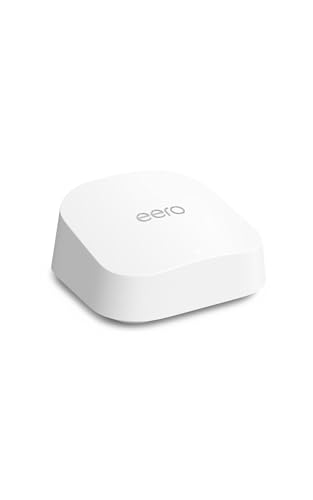
| Best Smart-Home Hub | Wi‑Fi Standard: Wi‑Fi 7 (includes Wi‑Fi 7 features) | Bands: Multi‑band (Wi‑Fi 7 multi‑link; primary bands for high speed) | Wired Ethernet Ports / Speed: Two auto‑sensing 2.5 GbE ports | VIEW LATEST PRICE | Our Analysis |
| NETGEAR Nighthawk WiFi 6 Router RAX36 (AX3000) |

| Best for Small Homes | Wi‑Fi Standard: Wi‑Fi 6 (802.11ax) | Bands: Dual‑band (2.4 GHz & 5 GHz) | Wired Ethernet Ports / Speed: 4 × 1 Gb LAN ports | VIEW LATEST PRICE | Our Analysis |
| TP-Link Archer A8 AC1900 Dual-Band Smart WiFi Router |

| Best Budget Dual-Band | Wi‑Fi Standard: Wi‑Fi 5 Wave 2 (802.11ac) | Bands: Dual‑band (2.4 GHz & 5 GHz) | Wired Ethernet Ports / Speed: 4 × Gigabit LAN ports | VIEW LATEST PRICE | Our Analysis |
| NETGEAR R6700AX WiFi 6 AX1800 Dual-Band Router |

| Best Value Wi‑Fi 6 | Wi‑Fi Standard: Wi‑Fi 6 (802.11ax) | Bands: Dual‑band (2.4 GHz & 5 GHz) | Wired Ethernet Ports / Speed: 4 × 1 Gigabit Ethernet ports | VIEW LATEST PRICE | Our Analysis |
More Details on Our Top Picks
TP-Link Archer AXE75 WiFi 6E Router
In case you need ultra-low latency and extra bandwidth for gaming, 4K streaming, or crowded smart homes, the TP-Link Archer AXE75 delivers: a Tri‑Band WiFi 6E design (6/5/2.4 GHz) with up to 5,400 Mbps aggregate throughput and a 1.7 GHz quad‑core CPU to keep many devices responsive. You’ll get 6 GHz for cleaner, low-latency links, two 2402 Mbps high-speed bands plus 574 Mbps on 2.4 GHz, and 160 MHz channels with OFDMA to enhance simultaneous connections. It includes 512 MB RAM, WPA3, OneMesh support, VPN server/client options, and HomeShield security—ideal for gigabit homes.
- Wi‑Fi Standard:Wi‑Fi 6E (802.11ax with 6 GHz)
- Bands:Tri‑band (6 GHz, 5 GHz, 2.4 GHz)
- Wired Ethernet Ports / Speed:Gigabit LAN ports (unspecified count) — modem required
- Coverage / Supported Area:(not explicitly stated) — designed for whole‑home coverage (gaming/streaming)
- Security / Parental Controls:WPA3 support; TP‑Link HomeShield (basic security, parental controls)
- VPN Support / Router Services:VPN Server & Client support (OpenVPN, PPTP, L2TP)
- Additional Feature:1.7 GHz quad-core CPU
- Additional Feature:512 MB high-speed RAM
- Additional Feature:OneMesh seamless roaming
Amazon eero 7 Wi-Fi Router (1-Pack 2,000 sq ft)
Perfect for busy smart-home hubs and multi-device households, the eero 7 gives you Wi‑Fi 7 speeds and multi-link operation (MLO) to keep gigabit plans and 120+ devices running smoothly. You’ll get wireless throughput up to 1.8 Gbps, support for internet plans to 2.5 Gbps, and two auto-sensing 2.5 GbE ports for high-bandwidth wired gear. Coverage reaches about 2,000 sq ft while TrueMesh, TrueRoam, and TrueChannel optimize performance and reduce dead spots. It doubles as a smart-home hub with Thread, Matter, and Zigbee control. With eero Plus, you’ll gain advanced security, parental controls, and ad/tracker blocking.
- Wi‑Fi Standard:Wi‑Fi 7 (includes Wi‑Fi 7 features)
- Bands:Multi‑band (Wi‑Fi 7 multi‑link; primary bands for high speed)
- Wired Ethernet Ports / Speed:Two auto‑sensing 2.5 GbE ports
- Coverage / Supported Area:Up to 2,000 sq. ft.
- Security / Parental Controls:Advanced digital security via eero Plus (subscription) and parental controls
- VPN Support / Router Services:Router acts as smart‑home hub and controller (Matter/Thread/Zigbee); software services (TrueMesh/optimizations)
- Additional Feature:Built-in smart home hub
- Additional Feature:Dual 2.5 GbE ports
- Additional Feature:Multi-Link Operation (MLO)
NETGEAR Nighthawk WiFi 6 Router RAX36 (AX3000)
Should you need a straightforward, high-performance router for homes with gigabit service, the NETGEAR Nighthawk RAX36 (AX3000) is built for that role. You’ll get WiFi 6 (802.11ax) with 4-stream AX3000 performance and up to 3 Gbps throughput, 160 MHz channel support, and coverage around 2,000 sq. ft. It handles roughly 25 devices—ideal for streaming, HD gaming, and conferencing. The 1.7 GHz quad-core CPU, four 1G LAN ports and USB 3.0 keep wired needs covered; please be aware it lacks a built-in cable modem. Security includes NETGEAR Armor (30-day trial) plus regular firmware updates.
- Wi‑Fi Standard:Wi‑Fi 6 (802.11ax)
- Bands:Dual‑band (2.4 GHz & 5 GHz)
- Wired Ethernet Ports / Speed:4 × 1 Gb LAN ports
- Coverage / Supported Area:Up to 2,000 sq. ft.
- Security / Parental Controls:NETGEAR Armor (30‑day trial) and built‑in security features
- VPN Support / Router Services:Built‑in VPN support
- Additional Feature:1.7 GHz quad-core CPU
- Additional Feature:USB 3.0 port
- Additional Feature:NETGEAR Armor security
TP-Link Archer A8 AC1900 Dual-Band Smart WiFi Router
Assuming you need reliable gigabit wired speeds with solid wireless performance for a medium-sized home, the TP-Link Archer A8 AC1900 is a strong, budget-friendly choice. You’ll get Wave 2 dual-band Wi‑Fi—up to 600 Mbps on 2.4 GHz and 1,300 Mbps on 5 GHz—with beamforming and coverage around 1,200 sq. ft., though walls and distance affect speeds. MU‑MIMO handles three simultaneous streams, and OneMesh lets you expand seamlessly with TP‑Link extenders. It offers 4 Gigabit LAN and 1 Gigabit WAN port but no USB. Setup and firmware updates are easy via the Tether app; you’ll need a separate modem.
- Wi‑Fi Standard:Wi‑Fi 5 Wave 2 (802.11ac)
- Bands:Dual‑band (2.4 GHz & 5 GHz)
- Wired Ethernet Ports / Speed:4 × Gigabit LAN ports
- Coverage / Supported Area:Up to 1,200 sq. ft.
- Security / Parental Controls:Built‑in parental controls (time limits, content blocking)
- VPN Support / Router Services:Router management via Tether app and firmware updates (no VPN specified)
- Additional Feature:Beamforming technology
- Additional Feature:Tether app management
- Additional Feature:Three-stream MU‑MIMO
NETGEAR R6700AX WiFi 6 AX1800 Dual-Band Router
Should you want reliable Wi‑Fi 6 performance for a small household or home office, the NETGEAR R6700AX delivers AX1800 speeds and coverage up to about 1,500 sq. ft., making it a solid choice for streaming, gaming, and video calls on up to 20 devices. You’ll connect this 4-stream AX1800 dual-band router to your existing cable modem (router only; modem required) and get theoretical combined speeds to 1.8 Gbps. Four gigabit LAN ports handle wired consoles and NAS. It’s compatible with U.S. ISPs up to 1 Gbps, includes built-in security and updates, and offers free expert support whenever you need help.
- Wi‑Fi Standard:Wi‑Fi 6 (802.11ax)
- Bands:Dual‑band (2.4 GHz & 5 GHz)
- Wired Ethernet Ports / Speed:4 × 1 Gigabit Ethernet ports
- Coverage / Supported Area:Up to 1,500 sq. ft.
- Security / Parental Controls:Built‑in security measures and enhanced safety updates
- VPN Support / Router Services:Software security updates and free expert help (no VPN specified)
- Additional Feature:4-stream WiFi 6 design
- Additional Feature:Free expert support
- Additional Feature:Four Gigabit LAN ports
Factors to Consider When Choosing a WiFi Router for Gigabit Internet
When picking a router for gigabit internet, you’ll want to check band support and channel width to ensure you can use the full wireless capacity. Also confirm the LAN port speeds, wireless standard and stream count, and that the processor and memory are strong enough to handle high throughput. Finally, make sure the firmware offers robust software security features to keep your network fast and safe.
Band Support & Channels
Because gigabit speeds need wide, low‑contention channels, pick a router that supports 5 GHz and 6 GHz in addition to 2.4 GHz so you can use the higher‑frequency bands’ wider channels and peak throughput. Prioritize 160 MHz channel width on 5 GHz or 6 GHz to double raw PHY capacity versus 80 MHz and help reach multi‑hundred‑Mbps to 1 Gbps links. Choose tri‑band or greater hardware so one high‑capacity band serves your fastest clients while others handle legacy and IoT devices, reducing contention. Check for OFDMA and MLO support to improve simultaneous transmissions, aggregate links across bands, and lower latency under load. Finally, recall higher frequencies trade range and wall penetration for speed, so use band steering and strategic placement to actually hit gigabit performance.
LAN Port Speeds
Check the router’s LAN and WAN port speeds to make sure wired devices won’t be bottlenecked: for typical gigabit internet you’ll want at least one 1 Gbps WAN plus Gigabit LAN ports, while multi‑gig service needs 2.5 GbE or 10 GbE ports so your LAN can match the ISP feed. You should confirm ports don’t share bandwidth—look for independent multi‑gig ports or a high‑capacity switch backplane so multiple wired devices can run at full speed. For heavy LAN transfers (NAS, backups) prefer native multi‑gig ports or Link Aggregation to combine links. Finally, verify the router’s CPU, switching ASIC, and memory are rated to sustain line‑rate gigabit or multi‑gig throughput; ports alone don’t guarantee real‑world speed.
Wireless Standard & Streams
Should you want your gigabit internet to shine over Wi‑Fi, pick the newest standard your devices support (Wi‑Fi 6 or Wi‑Fi 7) and a router with multiple spatial streams—more streams and wider channels mean higher single‑device and multi‑user throughput. Choose a router that supports 160 MHz channels, OFDMA and MLO where available to enhance spectral efficiency and cut latency. Check spatial stream counts (2×2, 4×4, etc.) and MU‑MIMO capability so the router can serve several clients simultaneously without bottlenecking aggregate speed. Match router stream counts and standards to your client devices; a 4×4 router won’t help a 1×1 phone. In short, align standards, streams and advanced features to fully employ a gigabit WAN over Wi‑Fi.
Processor And Memory
While the wireless standard and antenna counts set a router’s theoretical ceiling, the CPU and RAM determine whether your gear can actually deliver gigabit speeds under load. You should pick a multi-core CPU (typically 1.5–2.0 GHz or higher) so WAN-to-LAN throughput, VPN encryption, and multiple high-bandwidth tasks don’t bottleneck. Aim for 256–512 MB of RAM at minimum to hold large NAT tables, many concurrent connections, and smooth QoS handling. More powerful processors and extra memory also enhance CPU-heavy features like DPI-based inspection, traffic shaping, and multi-link aggregation. Insufficient CPU or RAM will drop throughput well below your ISP speed during heavy use, especially with firewall, VPN, or mesh coordination active. Always check independent WAN-to-LAN and VPN throughput tests, not just advertised wireless speeds.
Software Security Features
Because your router is the gateway between your devices and the internet, its software security features matter as much as its hardware for keeping a gigabit connection safe and reliable. You should insist on WPA3 to stop brute-force and downgrade attacks and protect device authentication. Pick models with built-in VPN server and client support (OpenVPN or WireGuard) so you can access your home network securely and tunnel traffic whenever needed. Prioritize automated or cryptographically signed firmware updates to patch vulnerabilities fast and prevent tampering. Choose routers offering intrusion detection/prevention plus network-level malware and URL filtering to block threats before they reach endpoints. Finally, use role/profile-based access controls and per-device firewall rules to limit lateral movement from compromised devices.
