

About 70% of remote workers report slower internet as their top productivity killer, and that can cost you time and credibility. You’ll want a router that delivers fast, reliable coverage, solid security, and simple management without fuss. Below are five top picks that balance those needs—from mesh systems with Wi‑Fi 6E to compact privacy‑focused models—so you can pick the right fit for your space and workflow.
| Google Nest WiFi Pro 6E Mesh Router 3-Pack (Snow) |
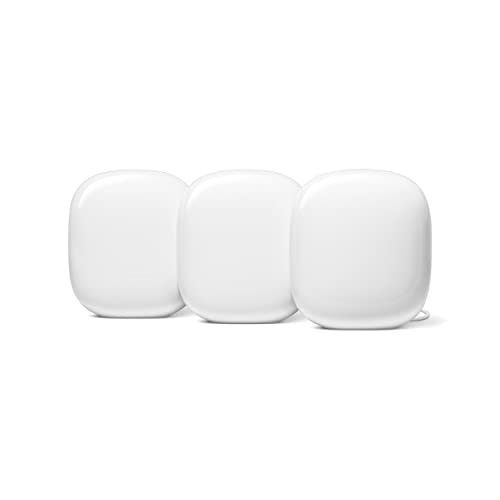
| Best for Whole-Home Coverage | Wi‑Fi Standard: Wi‑Fi 6E | Frequency Bands: Tri‑band (2.4 / 5 / 6 GHz) | Coverage (approx.): Up to 6,600 sq ft (3‑pack) | VIEW LATEST PRICE | Read Our Analysis |
| TP-Link Archer AC1750 Dual-Band Gigabit WiFi Router |

| Budget-Friendly Performer | Wi‑Fi Standard: Wi‑Fi 5 (802.11ac / AC1750) | Frequency Bands: Dual‑band (2.4 / 5 GHz) | Coverage (approx.): Up to 2,500 sq ft | VIEW LATEST PRICE | Read Our Analysis |
| Amazon eero Pro 6E Mesh Wi‑Fi Router (1-Pack) |

| Easy Mesh Upgrade | Wi‑Fi Standard: Wi‑Fi 6E | Frequency Bands: Tri‑band (2.4 / 5 / 6 GHz) | Coverage (approx.): Up to 2,000 sq ft (per unit) | VIEW LATEST PRICE | Read Our Analysis |
| GL.iNet GL-AX1800 Flint WiFi 6 Gigabit Router |
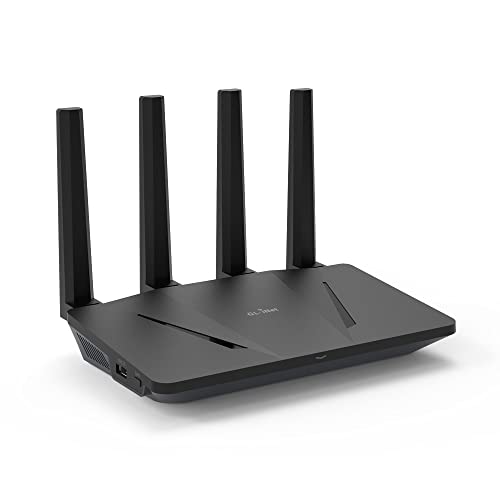
| Privacy & VPN Focused | Wi‑Fi Standard: Wi‑Fi 6 | Frequency Bands: Dual‑band (2.4 / 5 GHz) | Coverage (approx.): Not explicitly as sq ft (supports many devices); implied home coverage | VIEW LATEST PRICE | Read Our Analysis |
| NETGEAR Orbi Cable Modem + Mesh WiFi Router (CBR40) |
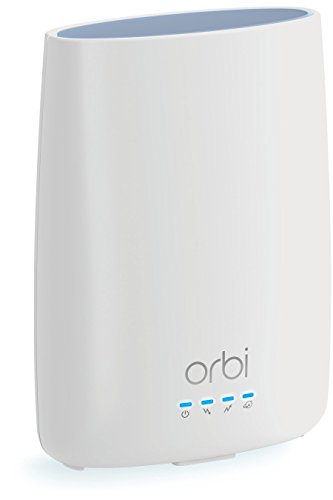
| All‑in‑One Cable Solution | Wi‑Fi Standard: Wi‑Fi 5 (AC2200 / 802.11ac) | Frequency Bands: Tri‑band (2.4 / 5 GHz + additional AC band) | Coverage (approx.): Up to 2,000 sq ft | VIEW LATEST PRICE | Read Our Analysis |
More Details on Our Top Picks
Google Nest WiFi Pro 6E Mesh Router 3-Pack (Snow)
Should you need blanket coverage and the fastest possible home network for video calls and large file transfers, the Google Nest WiFi Pro 6E 3‑pack is built for you: its tri‑band Wi‑Fi 6E radios (including the new 6 GHz band) and mesh setup deliver multi‑gig speeds and up to about 6,600 sq ft of consistent coverage, so you can work from any room without buffering or dropped calls. You’ll get up to twice Wi‑Fi 6 speeds, automatic performance adjustments that prioritize calls, and edge optimizations to maintain connections at coverage limits. It’s not compatible with older Nest/Google Wifi hardware, but adds secure boot, guest networks, device visibility, and self‑diagnostics to keep your home office reliable and manageable.
- Wi‑Fi Standard:Wi‑Fi 6E
- Frequency Bands:Tri‑band (2.4 / 5 / 6 GHz)
- Coverage (approx.):Up to 6,600 sq ft (3‑pack)
- Ethernet Ports / Wired Capability:Gigabit Ethernet (mesh nodes; typical router ports)
- Mesh / Expandability:Mesh system (3‑pack; customizable mesh)
- Security & Software Features:Secure boot/automatic updates, device visibility, guest network
- Additional Feature:Built‑in edge enhancements
- Additional Feature:Automatic self‑diagnostics
- Additional Feature:Prioritizes video calls
TP-Link Archer AC1750 Dual-Band Gigabit WiFi Router
Provided you need reliable dual-band Wi‑Fi for video calls and steady file transfers, the TP‑Link Archer AC1750 (A7) is a practical pick that covers up to about 2,500 sq ft and delivers gigabit Ethernet for wired devices. You’ll get AC1750 speeds on separate 2.4/5 GHz bands powered with a Qualcomm CPU, with easy setup and browser-based configuration. It works alongside Alexa for basic voice control and supports a wide range of operating systems and modern browsers. You’ll still need a cable/DSL modem should your ISP require one, but for budget-conscious home offices this router balances performance and value.
- Wi‑Fi Standard:Wi‑Fi 5 (802.11ac / AC1750)
- Frequency Bands:Dual‑band (2.4 / 5 GHz)
- Coverage (approx.):Up to 2,500 sq ft
- Ethernet Ports / Wired Capability:Gigabit Ethernet WAN/LAN ports
- Mesh / Expandability:Single‑router (no native mesh system)
- Security & Software Features:Web configuration; basic router security; Alexa integration (no advanced security subscription noted)
- Additional Feature:Works with Alexa
- Additional Feature:Qualcomm CPU inside
- Additional Feature:Broad legacy OS support
Amazon eero Pro 6E Mesh Wi‑Fi Router (1-Pack)
Choose the eero Pro 6E should you need a compact, future-ready gateway that adds a 6 GHz band for lower-latency Wi‑Fi 6E performance and a 2.5 Gb Ethernet port for gigabit+ plans—ideal for home workers running latency-sensitive apps, many smart devices, or heavy file transfers. You’ll get Wi‑Fi 6E support, backward compatibility with older eeros, and TrueMesh routing to cut dead spots. It handles up to 2.3 Gbps (wireless 1.6 Gbps, wired 1 Gbps), supports 100+ devices, and covers about 2,000 sq. ft. Setup via the eero app takes minutes; subscriptions add security and management. Support: +1-877-659-2347.
- Wi‑Fi Standard:Wi‑Fi 6E
- Frequency Bands:Tri‑band (2.4 / 5 / 6 GHz)
- Coverage (approx.):Up to 2,000 sq ft (per unit)
- Ethernet Ports / Wired Capability:2.5 Gb + Gigabit Ethernet (includes 2.5 Gb port)
- Mesh / Expandability:Mesh capable / expandable (backward compatible with eero units)
- Security & Software Features:Automatic firmware updates; optional paid online security/advanced management
- Additional Feature:Patented TrueMesh routing
- Additional Feature:2.5 Gb Ethernet port
- Additional Feature:Phone app guided setup
GL.iNet GL-AX1800 Flint WiFi 6 Gigabit Router
Should you need a compact router that prioritizes privacy and VPN performance for remote work, the GL.iNet GL-AX1800 Flint is a strong pick; it combines Wi‑Fi 6 speeds up to 1.8 Gbps with WireGuard throughput up to 500 Mbps so you can run secure connections and 4K video calls without bottlenecks. You’ll get OFDMA for efficient multi-device use, low latency for smooth streaming and calls, and support for up to 120 devices. Five gigabit Ethernet ports handle wired gear. OpenVPN and AdGuard Home are built in, EAP is supported, and setup’s straightforward via the web admin panel or Ethernet.
- Wi‑Fi Standard:Wi‑Fi 6
- Frequency Bands:Dual‑band (2.4 / 5 GHz)
- Coverage (approx.):Not explicitly as sq ft (supports many devices); implied home coverage
- Ethernet Ports / Wired Capability:Five 1 Gbps Ethernet ports
- Mesh / Expandability:Single router (can be used in larger networks but not marketed as mesh)
- Security & Software Features:AdGuard Home (ad/tracker blocking), OpenVPN/WireGuard VPN support, EAP
- Additional Feature:WireGuard VPN support
- Additional Feature:Integrated AdGuard Home
- Additional Feature:Supports 120 devices
NETGEAR Orbi Cable Modem + Mesh WiFi Router (CBR40)
Should you rent cable equipment or want to cut down on clutter, the NETGEAR Orbi CBR40 is a smart pick: it combines a DOCSIS 3.0 cable modem with a tri‑band AC2200 mesh router so you can ditch your ISP’s modem and extend coverage with Orbi satellites (sold separately). You’ll save rental fees and get compatibility with Xfinity, Charter, Cox and other cable ISPs, though not with Gigabit plans or fiber providers like Verizon, AT&T, or CenturyLink. The 32×8 modem supports high download throughput; the tri‑band WiFi covers about 2,000 sq. ft. at up to 2.2 Gbps, includes four Ethernet ports, app setup, and Circle parental controls.
- Wi‑Fi Standard:Wi‑Fi 5 (AC2200 / 802.11ac)
- Frequency Bands:Tri‑band (2.4 / 5 GHz + additional AC band)
- Coverage (approx.):Up to 2,000 sq ft
- Ethernet Ports / Wired Capability:4 Ethernet ports (Gigabit)
- Mesh / Expandability:Mesh capable (Orbi satellites sold separately)
- Security & Software Features:Circle Smart Parental Controls, app management, guest network
- Additional Feature:Built‑in DOCSIS 3.0 modem
- Additional Feature:Circle parental controls
- Additional Feature:Replaces ISP rental equipment
Factors to Consider When Choosing a Router for Working From Home
While choosing a router for working from home, you’ll want to weigh speed and throughput to handle video calls and large file transfers. Also consider coverage and device capacity so every corner of your home and all your gadgets stay connected. Don’t forget security, privacy, and management features plus compatibility with your ISP and smart-home gear.
Speed And Throughput
Because your home office depends on steady, fast connections, pick a router that matches your devices and ISP speed: choose the latest Wi‑Fi standard (like Wi‑Fi 6/6E), check the router’s maximum throughput rating and wired port speeds (Gigabit or 2.5 Gb), and prefer multi‑band models that use 5/6 GHz for heavy tasks while leaving 2.4 GHz for range and legacy gear. Also match the router’s theoretical throughput (AX/AC ratings or multi‑gig totals) to your plan so the hardware won’t bottleneck downloads or uploads. Prefer routers with MU‑MIMO and OFDMA to keep aggregate performance steady whenever multiple devices are active. Finally, use wired Gigabit or 2.5 Gb Ethernet for desktops and NAS to guarantee consistent, low‑latency throughput.
Coverage And Range
Coverage planning starts with measuring your workspace and adding a 20–30% buffer so walls, floors, and interference don’t create dead zones. After you know the needed square footage, pick a router or mesh system rated to cover at least that area—single units range roughly 1,000 to 6,000+ sq ft depending on class. Account for obstacles: concrete, brick, metal, and multiple drywall/insulation layers cut signal strength and reduce effective range. Use dual‑ or tri‑band gear so you can put high‑speed devices on 5 GHz or 6 GHz while keeping 2.4 GHz for longer reach. In multiroom or large homes, plan node placement every 30–60 feet or where signal drops below −65 dBm to guarantee reliable video calls and low latency.
Device Capacity Limits
Should you expect more than a handful of gadgets in your home office, plan for device capacity up front: count laptops, phones, IP phones, smart‑home gear, and peripherals, then pick a router rated to handle at least that many concurrent clients with room to grow. Estimate simultaneous devices, including idle IoT units, and aim for routers rated for 50–100+ clients should your household runs many gadgets. Check the listed maximum client capacity and favor models with MU‑MIMO and OFDMA so throughput stays stable as device counts rise. Recall background traffic—updates, backups, cloud sync—adds load beyond active calls. In case you expect heavier-than-normal loads, choose a mesh or multi‑node system to distribute connections and avoid a single access point becoming a bottleneck.
Security And Privacy
Whenever you’re choosing a router for your home office, prioritize security and privacy as core features rather than afterthoughts: pick devices that support WPA3 (or at least WPA2‑AES), offer automatic firmware updates, and include built‑in protections like firewalls, secure boot, and intrusion prevention so your work traffic and credentials stay protected. Enable automatic updates or check for patches regularly to close vulnerabilities exploited via malware and botnets. Create a separate guest network with strong, unique SSIDs and passwords to isolate work devices from personal and IoT gear. Disable remote administration unless required, and should you enable it secure access with multi‑factor authentication. Change default admin credentials, move management ports off common numbers, and audit connected devices periodically to reduce unauthorized access risks.
Management And Compatibility
Because you’ll need to manage your home office network from anywhere, pick a router that gives you secure remote management via a mobile app or web portal, shows connected devices clearly, and supports role-based access so you can isolate work gear from personal and IoT devices. You’ll want automatic firmware updates and secure boot to keep patches applied and block unauthorized code. Choose QoS or traffic-prioritization controls to reserve bandwidth for video calls, VPN traffic, and other work-critical apps so latency stays low under load. Verify diagnostics, connection monitoring, and self-healing features that adjust congestion and recover links automatically to reduce downtime. Finally, confirm guest networks, device visibility, and pause controls let you restrict non-work devices without disrupting productivity.
